|
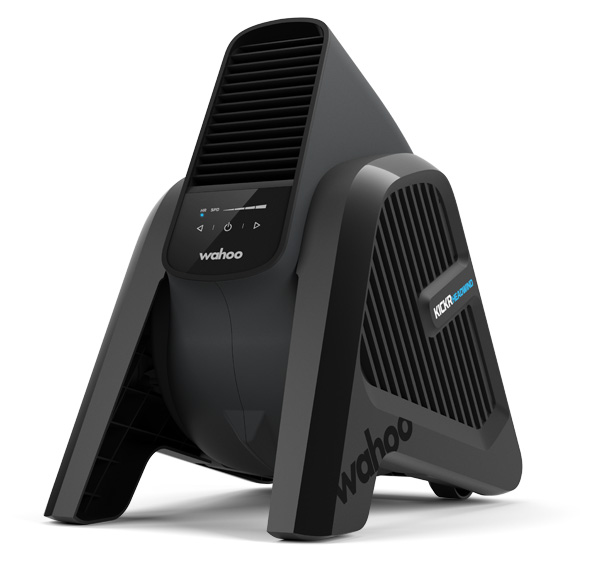
The Wahoo app keeps your trainer up to date and leverages your smartphone to record basic workout information, delivering data-driven power that fuels your training and fitness goals. Get the app now to update KICKR HEADWIND and get cranking. |
Specifications
- Part Number: WFBKTR7US (US Version); WFBKTR7EU (EU Version); WFBKTR7AU (AU Version)
- Motor Spec: 120v 60hz (US / Japan); 240v 50/60hz (EU / AU / UK Versions)
- Dimensions (Legs Tucked): 16"L x 12"W x 19"H (40.6cm x 30.5cm x 48.3cm)
- Dimensions (Legs Extended): 18"L x 12"W x 19"H (45.7cm x 30.5cm x 48.3cm)
- Weight: 12 lb / 5.44 kg
- Max Fan Speed: 30 mph / 48 kph
- Wireless Software Updates: Yes
- Connectivity: Bluetooth, Other
- Adjustable Legs: Yes (2 Positions)
In the Box
- KICKR HEADWIND
- Quick Start Guide
- Important Product Info Guide
Compatibility
The KICKR HEADWIND pairs to the Wahoo Fitness App via Bluetooth® for control from iOS and Android mobile devices, or connects directly to ANT+ enabled heart rate monitors like the Wahoo TRACKR, speed sensors like the Wahoo RPM Speed, temperature sensors, and all Wahoo Smart Trainers or other ANT+ enabled third party trainers. For more details, see the KICKR HEADWIND compatibility page.
Setup
- Always place the KICKR HEADWIND on a stable surface.
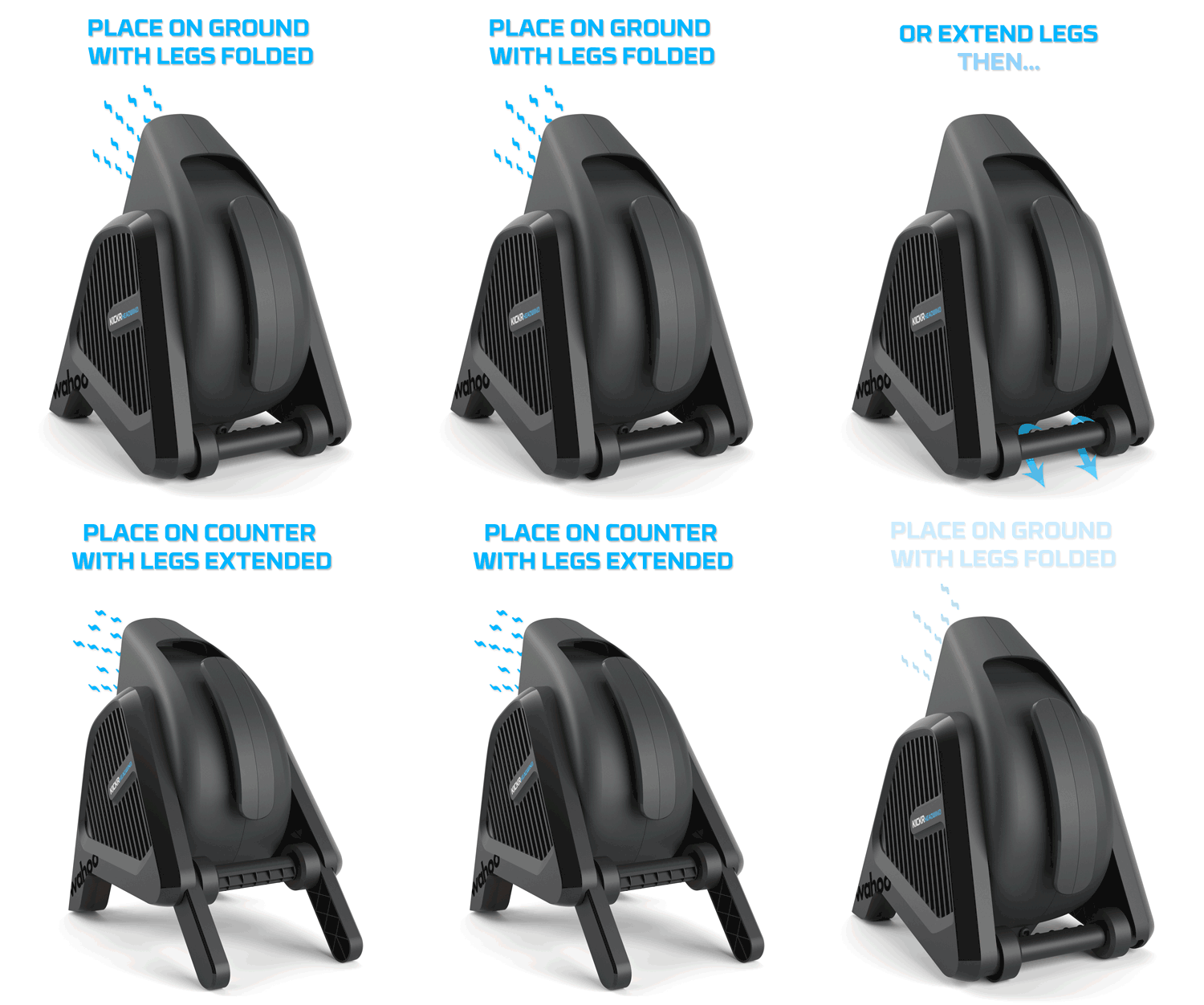
- Extend the legs to change the airflow direction. If placed directly on the ground, the rear legs can remain folded to angle air upwards. To position on a counter (or other elevated surface), extend the legs for a breeze that's more head-on.
- Plug KICKR HEADWIND into a power source. Do not modify or adapt the KICKR HEADWIND to plug into a different socket type than designed for (please contact support for exceptions).
- Press the power button to turn on and activate the fan. For more advanced settings, see Features.
Always follow these precautions when using the KICKR HEADWIND:
- Always consult your physician before beginning or modifying any exercise program.
- KICKR HEADWIND is intended for indoor use only.
- Do not put hands or objects near moving parts of the KICKR HEADWIND.
- Do not insert objects into the openings of the KICKR HEADWIND.
- Only use the KICKR HEADWIND on a stable, level surface.
- Keep water and moisture away from the KICKR HEADWIND at all times.
Features
The KICKR HEADWIND can be controlled via the Wahoo App, the SYSTM app and offers a wide array of cooling options:
- Manual - Control the HEADWIND's airflow using the buttons on the physical unit.
- Standby - The KICKR HEADWIND broadcasts before and after the power button is pressed. This enables fully hands-free control and easy pairing.
- Sensor Control - Control the KICKR HEADWIND's airflow using a variety of sensors.
- Wahoo App Control - Control the KICKR HEADWIND's airflow remotely using buttons in the Wahoo App.
- ELEMNT Control - Control the KICKR HEADWIND's airflow remotely using the interface on ELEMNT cycling computers.
Frequently Asked Questions
How do I update my KICKR HEADWIND's firmware?
What devices are compatible with KICKR HEADWIND?
What do I do if my sensor stops controlling my KICKR HEADWIND?